 Pine Script Builder
Stop Losing Money on Unproven Trading Strategies
Convert any YouTube strategy, indicator, or pattern into backtestable Pine Script code. Export to TradingView in 60 seconds. No coding required. Zero risk to test.
Build Your First Strategy FreeNo credit card required • Export code in 60 seconds • Free tier available forever

Built For These Situations
Three real problems this tool solves
Verify YouTube Strategies
Before risking real money
A YouTuber claims their RSI + MACD combo makes 300% returns. Instead of trading blind, paste their indicator code into the AI converter, get a backtestable strategy in minutes, and see the real numbers on TradingView.
Combine Multiple Indicators
Without writing code
You want to combine RSI, MACD, and a volume filter into one strategy, but TradingView doesn't merge indicators easily. Use the visual builder to connect them with AND/OR logic and export working Pine Script instantly.
Test Custom Candlestick Patterns
Your patterns, your edge
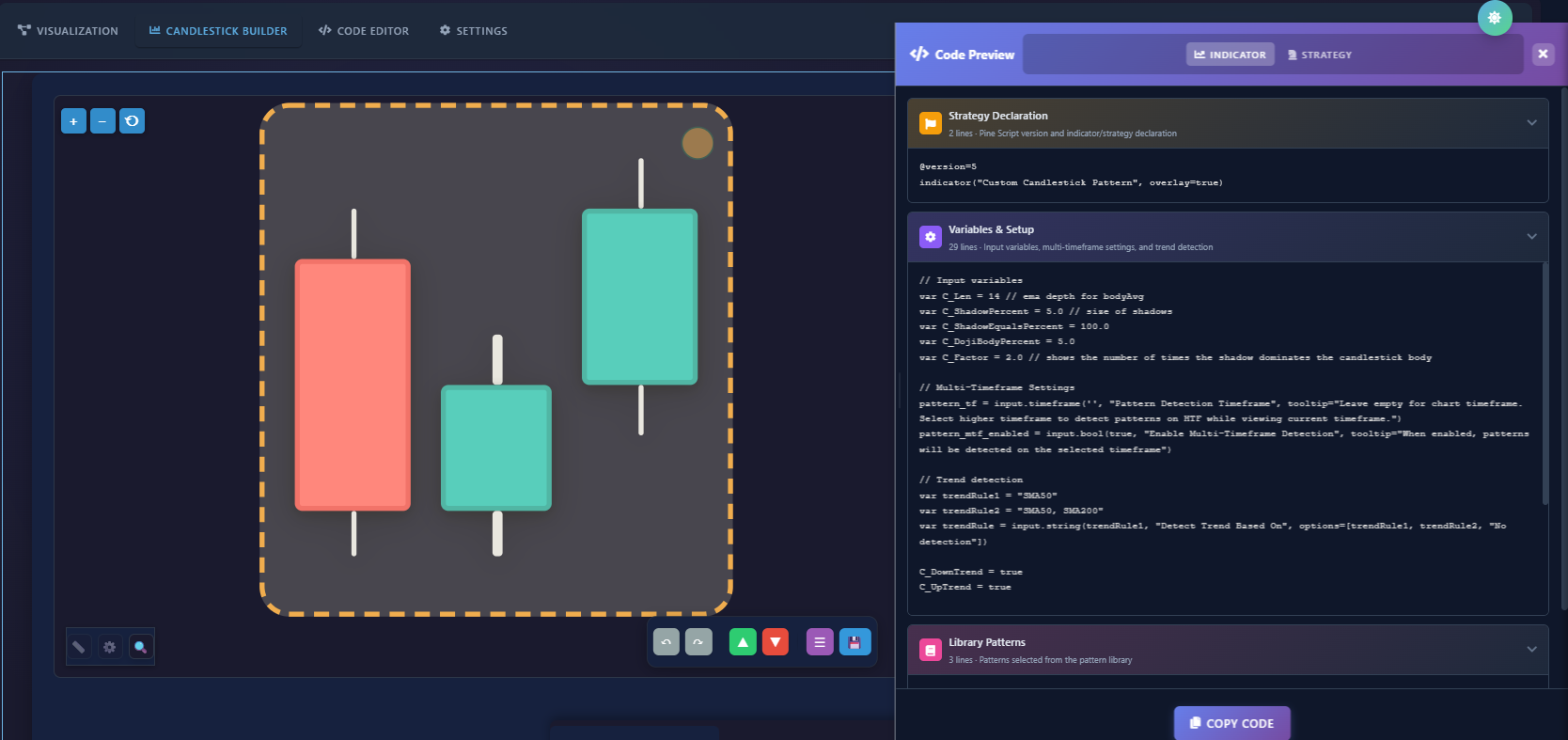
You've noticed a repeating candle formation on your charts but can't code it. Design it visually in the pattern builder, export to TradingView, and backtest against years of real market data to see if your edge holds up.
Two Powerful Tools, One Platform
Everything you need to test YouTube strategies and create custom candlestick patterns
Strategy Builder
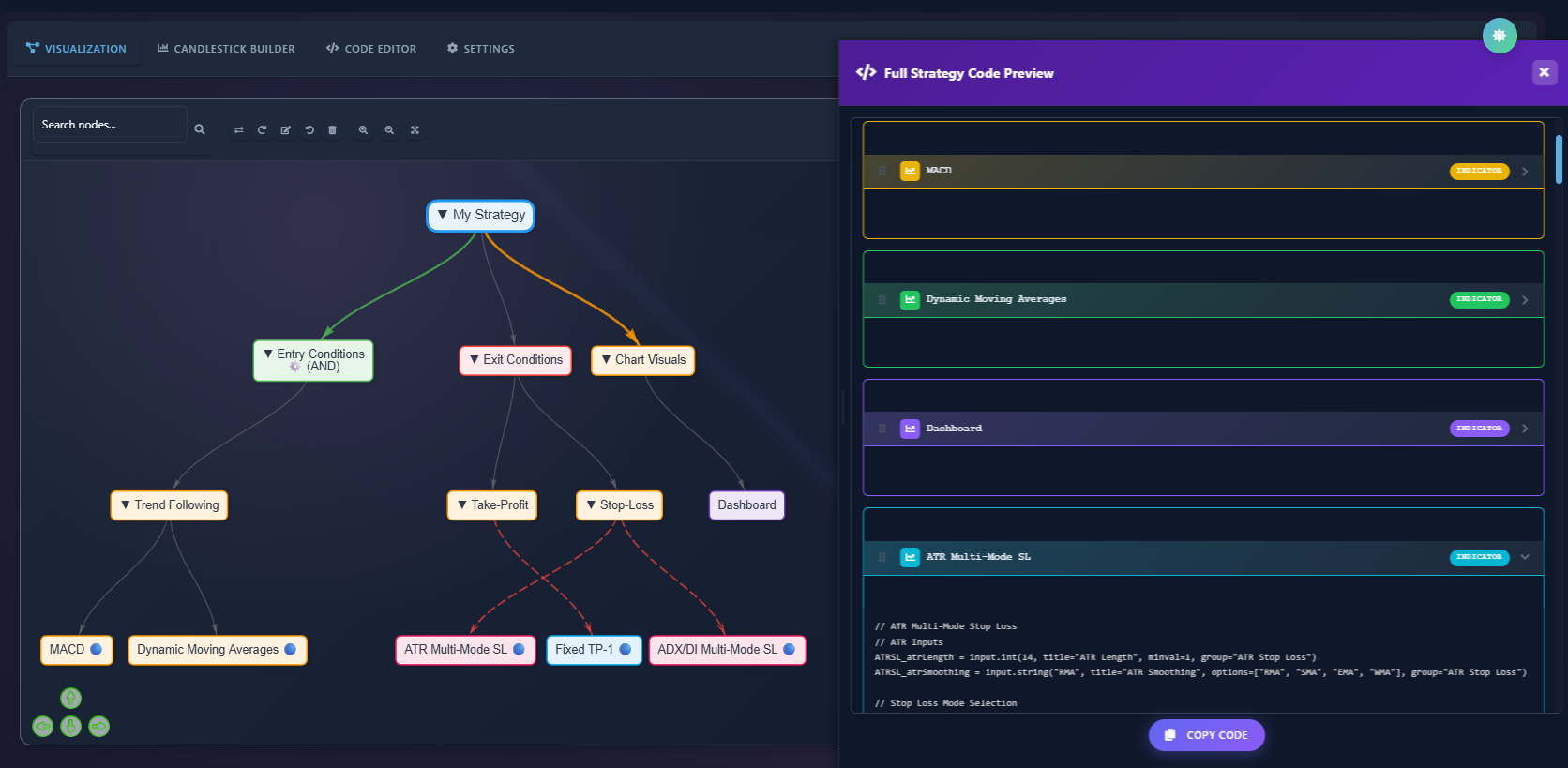
Turn YouTuber indicators into backtestable Pine Script code. Describe any strategy in plain English, build it visually with drag-and-drop nodes, and backtest it with real TradingView data. No coding needed.
AI-PoweredCandlestick Pattern Builder
Design custom candlestick patterns visually. Create your own Doji, Engulfing, or completely custom multi-candle formations. Export to TradingView for instant backtesting. Your patterns, your edge.
Unique DifferentiatorTired of Wondering "Does This Actually Work?"
We've all been there. Let's break the cycle.
You Watch the Video
Some YouTuber shows an amazing strategy that "made 300% returns" with their special indicator combination. The thumbnail has arrows and profit screenshots everywhere.
You Want to Test It
But you can't code Pine Script. And even if you could, translating their vague descriptions into working code would take hours—or days.
You Trade Blindly
So you either skip it entirely, or worse—you trade with real money based on unverified YouTube claims. We're here to stop that.
Why Waste Hours Coding When You Can Build in Minutes?
See how Pine Script Builder stacks up against manual coding
Turn Any Strategy Into Real Data in 3 Steps
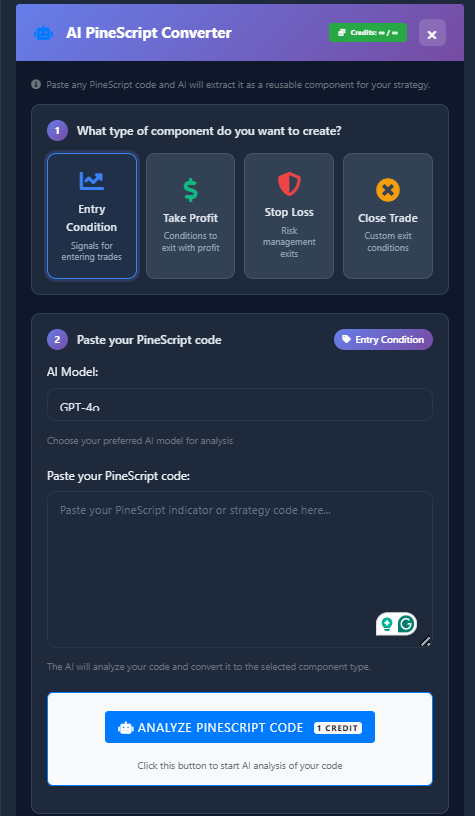
Convert PineScript Indicator
Start with any PineScript indicator and convert it into a backtestable strategy. Use our AI-powered converter to transform indicators into complete trading systems with entry/exit rules.
Build Visually
Use our drag-and-drop builder to set up strategies with nodes and conditions. Or design multi-candle patterns in the candlestick editor. Let AI generate the Pine Script code instantly.
Export & Backtest on TradingView
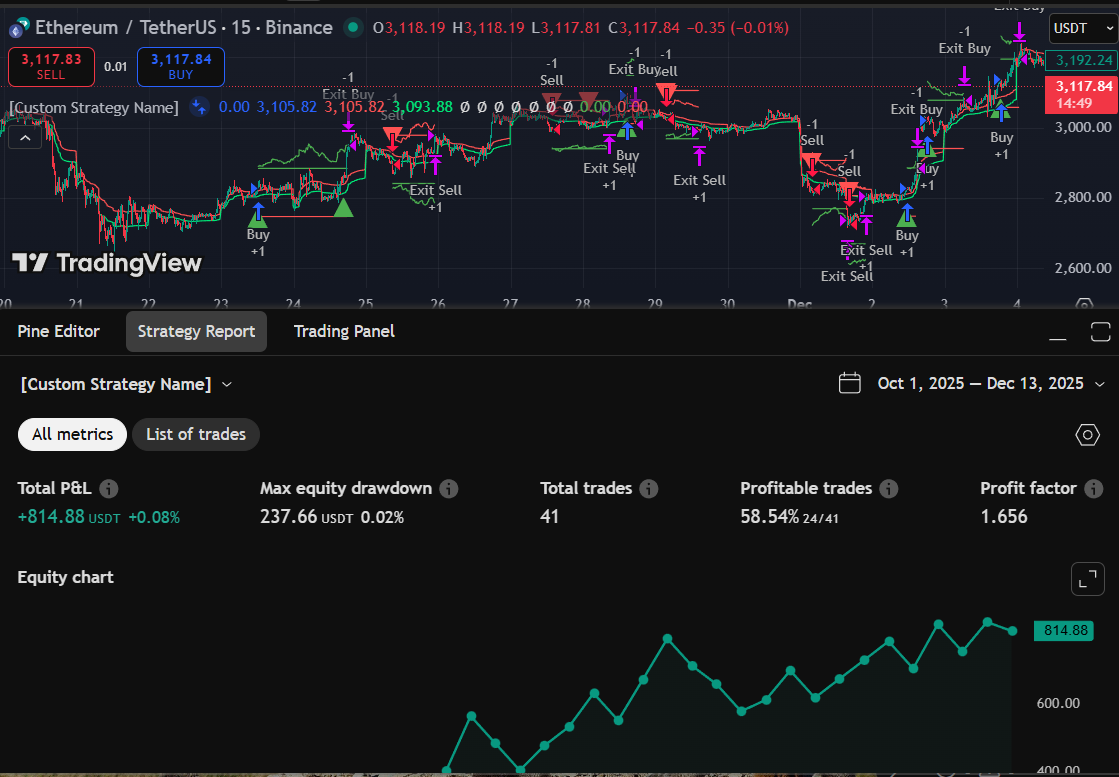
Copy your generated Pine Script code to TradingView and backtest with real market data. Get comprehensive performance metrics, win rates, and profit factors. Truth over theories.
Design Custom Candlestick Patterns Like a Pro
The only platform that lets you visually create candlestick patterns and export them as Pine Script code
Pattern Builder
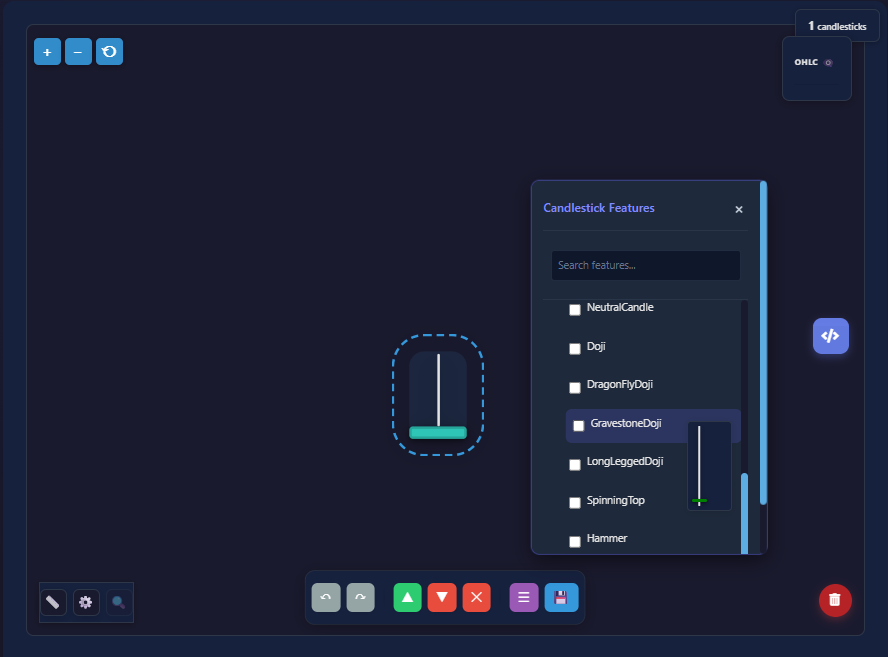
Advanced Features
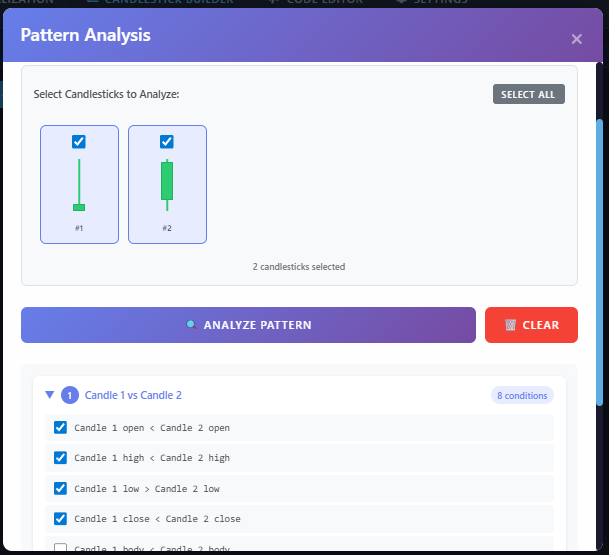
Pattern Analysis
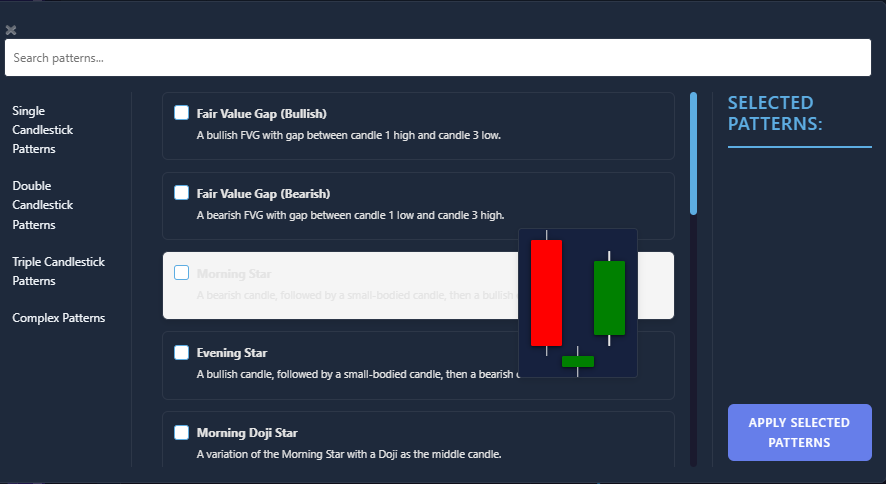
Pattern Library
Visual Pattern Designer
Click to create candle patterns. No coding required.
40+ Pre-Built Patterns
Start with Doji, Engulfing, Hammers, and more. Or build custom.
Multi-Timeframe Builder
Combine patterns across different timeframes for advanced strategies.
Entry Strategy Setup
Add FVG, Swing Structure, and Internal Structure conditions visually.
Trade Levels Control
Drag-and-drop Entry, Take Profit, and Stop Loss badges to comparison lines.
TradingView Ready
Export code instantly and backtest on TradingView with real data.
Active Features Dashboard
See all your active conditions and features in one organized panel.
Entry Sequence Logic
Visual flow showing exactly when your strategy enters trades.
Image-to-Pattern Import
Upload chart screenshots to extract patterns automatically.
Simple, Transparent Pricing
Start free, upgrade when you're ready. Cancel anytime.
- 5 saved strategies
- 5 saved candlestick patterns
- 5 code exports per month
- 2 entry + 1 exit conditions
- All built-in indicators
- Visual strategy builder
- Candlestick pattern builder
- Cloud sync
- Community support
- 25 saved strategies
- 25 saved candlestick patterns
- Unlimited code exports
- 3 entry + 2 exit conditions
- Advanced AND/OR Condition Builder
- 35 AI imports per month
- GPT-4o Mini & GPT-4o models
- Cloud sync across devices
- Email support
- Unlimited saved strategies
- Unlimited saved patterns
- Unlimited code exports
- Unlimited conditions
- Multi-Timeframe Pattern Builder
- Image-to-Candlestick Pattern
- 150 AI imports per month
- All AI models incl. Claude 3.5
- Cloud sync across devices
- Priority support
✓ 30-day money-back guarantee • ✓ Cancel anytime • ✓ No hidden fees
Frequently Asked Questions
Everything you need to know before getting started
Absolutely not! That's the whole point. Our visual builder lets you drag-and-drop indicators and conditions to build strategies. The AI generates the Pine Script code for you automatically. You can also describe strategies in plain English and our AI will build them.
We generate the Pine Script code for you—then you copy it to TradingView and use their backtesting engine. We don't run backtests ourselves. Our tool saves you hours of coding by building the strategy code automatically, so you can instantly test it on TradingView with real historical data.
Yes! All generated Pine Script code is TradingView-compatible (Pine Script v6). Just copy the code and paste it into TradingView's Pine Editor. You can backtest and deploy your strategies directly on TradingView.
All markets available on TradingView: stocks, forex, crypto, commodities, indices. All standard timeframes from 1-minute to monthly charts. The generated Pine Script works with any symbol and timeframe you choose in TradingView.
Yes. We use enterprise-grade Supabase infrastructure with bank-level encryption. Your strategies are stored securely in the cloud and synced across devices. We never share or sell your data. All API calls are proxied through secure edge functions.
Free lets you create and combine unlimited components and indicators, but you can't save strategies permanently or use AI features. Pro gives you unlimited saved strategies, AI-powered code generation (150 generations/month with GPT-4o and Claude 3.5), cloud sync, and priority support. Most traders start free to test the visual builder, then upgrade to Pro for AI and saving capabilities.
Absolutely. Cancel anytime with one click from your account dashboard. No contracts, no commitments. Your data remains accessible even after cancellation, and you can reactivate your subscription at any time.
No! You can use our free version with a free TradingView account. The generated Pine Script code works on any TradingView plan. However, if you want to run multiple strategies simultaneously on TradingView, you'll need their paid plans—but that's a TradingView limitation, not ours.
Stop Guessing. Start Testing.
Turn any YouTube trading strategy into backtested reality. Design custom candlestick patterns. See the truth before you risk a single dollar.
Start Testing Free